1. Understanding What “Future-Proof” Really Means
A future-proof laptop is one that:
Remains fast and usable for at least 3–5 years
Can run modern applications and updates without lag
Has enough RAM and storage to survive software expansion
Comes with new connectivity features (Wi-Fi 6/6E, USB-C, Thunderbolt)
Has hardware that meets future minimum requirements
Technology won’t stop advancing, but buying with foresight ensures your laptop stays relevant longer, saving you money and frustration in the long run.
2. Why Beginners Need a Balanced Laptop
Beginners often make one of two mistakes:
❌ Buying a very cheap laptop
Leads to slow performance, short lifespan, and frequent freezing.
❌ Buying an unnecessarily expensive laptop
Wastes money on features you’ll never use.
✔️ The goal is balance
A smart beginner focuses on:
Good CPU
Enough RAM
SSD storage
A decent display
Solid build
Long-lasting battery
This guide will help you choose exactly that.
3. Minimum Specs Required for 3–5 Years of Use
To ensure smooth performance until 2030, here are the future-proof baseline specs:
| Component | Minimum (Future-Proof) | Ideal (Best Value) |
|---|
| CPU | Intel Core i5 / Ryzen 5 | Intel 12th–14th Gen / Ryzen 5 6000+ |
| RAM | 16GB | 16–24GB |
| Storage | 512GB SSD | 1TB NVMe SSD |
| GPU | Intel Iris Xe / AMD Radeon Vega | Entry RTX (3050 / ARC) |
| Battery | 50Wh+ | 60–70Wh |
| Display | 1080p IPS | 1440p/120Hz |
| Ports | USB-C, USB-A | USB-C PD + HDMI + fast card reader |
A laptop with these specs will run:
…all smoothly for years.
4. Choosing the Right Processor (CPU)
The CPU is the most important part of future-proofing.
Best CPU Options for Beginners (2025–2030)
Intel Options
Intel Core i5 1235U, 1335U, 1435U – efficient and long-lasting
Intel Core i7 U-series – faster multitasking
Intel Core Ultra – AI-ready future processors
AMD Options
AMD Ryzen 5 5600U, 5625U, 6600U, 7600U
More efficient than Intel and great for battery life
What to Avoid
Intel Celeron, Pentium
AMD Athlon
Very old i3 or i5 models
These will not last 3–5 years.
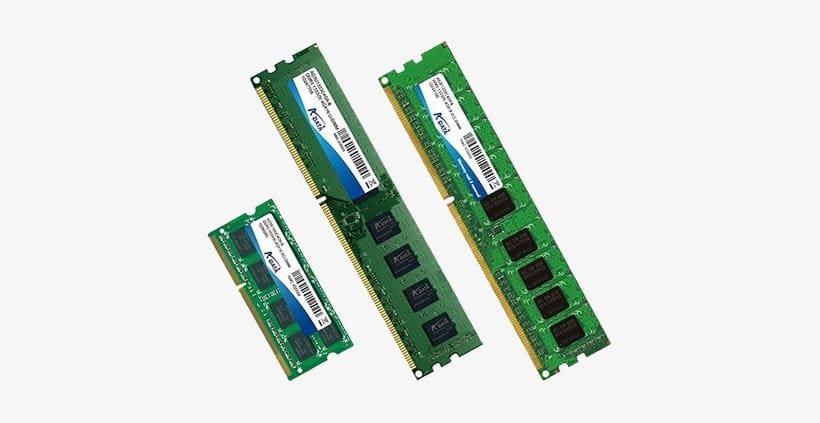
5. Understanding RAM for Long-Term Use
RAM is the key to smooth multitasking.
In 2025+, 8GB is no longer enough.
✔️ Recommended Future-Proof RAM:
Minimum: 16GB
Ideal: 16–24GB
Power users: 32GB
Why?
Apps grow every year.
Chrome alone can use 3–4GB with multiple tabs.
Windows updates demand more memory over time.
Future-proof = comfortable multitasking.
6. Storage Requirements: SSD vs HDD
Never buy a laptop with an HDD anymore.
They slow down your entire experience.
The best choice:
NVMe SSD (fastest)
512GB minimum
1TB recommended
Reasons:
Instant boot time
Faster app loading
Longer lifespan
Less noise, less heat
7. Future-Proof Graphics (Integrated vs Dedicated)
Most beginners don’t need a powerful GPU.
Integrated graphics are enough for:
Browsing
Office tasks
Media consumption
Light editing
Light gaming
Best Integrated GPUs:
When Do You Need a Dedicated GPU?
If you plan to game seriously
If editing videos is your main hobby
If you use 3D software (Blender, AutoCAD)
For beginners, integrated graphics = long-lasting + cheaper + cooler.
8. Display: Why Screen Quality Matters More Than You Think
You stare at the laptop screen for hours every day.
A low-quality display damages productivity and comfort.
Minimum Requirements:
1080p resolution
IPS panel
300 nits brightness
Ideal Future-Proof Display:
1440p (2K)
120Hz refresh rate
400–500 nits brightness
These features ensure your laptop remains visually appealing and modern in the coming years.
9. Battery Life Expectations
A laptop meant for long-term use needs strong battery performance.
Recommended:
50Wh minimum
60–70Wh ideal
USB-C fast charging
Select U-series CPUs for the best longevity.
10. Build Quality & Portability
A good laptop must survive 3–5 years of daily use.
Look for:
Aluminum chassis
Strong hinges
Backlit keyboard
Precision touchpad
1.3–1.7 kg weight
Plastic builds wear out faster and feel outdated quickly.
11. Ports and Connectivity for the Future
Don’t ignore ports — they determine compatibility.
Must-Have Ports:
USB-C
USB-A
HDMI
Headphone jack
Future-Proof Ports:
These keep the laptop useful even as new devices evolve.
12. Operating System Choices
✔️ Windows (most recommended)
✔️ macOS (budget permitting)
✔️ ChromeOS
13. Upgradeability: A Major Future-Proof Factor
Many laptops today come with soldered RAM and storage.
Avoid them.
Look for laptops that allow upgrades:
This alone can extend your laptop’s life by 2–3 extra years.
14. Common Mistakes Beginners Should Avoid
❌ Mistake 1: Buying the cheapest laptop
Slow, unreliable, short lifespan.
❌ Mistake 2: Taking advice from store sellers
They push remaining/old stock.
❌ Mistake 3: Ignoring RAM and SSD
These two decide speed more than the CPU.
❌ Mistake 4: Buying a gaming laptop for normal use
Heavy, hot, expensive, battery drains fast.
❌ Mistake 5: Not checking upgradeability
You may regret this after 1–2 years.
15. Recommended Laptop Profiles (2025–2030)
Best for Students
Intel i5 / Ryzen 5
16GB RAM
512GB SSD
14″ IPS
Best for Office Work
Lightweight
Long battery
USB-C charging
Best for Light Creators
Best Budget Future-Proof
Ryzen 5 5600U
16GB RAM
512GB SSD
1080p IPS
16. Future Trends That Will Affect Your Buying Decision
The next 3–5 years will introduce:
• AI-optimized laptops
Intel Core Ultra chips
AI co-processors
Faster machine learning tasks
• More USB-C only laptops
Charging, display, data in one port
• Higher storage demand
Apps will get larger
Windows will get heavier
• OLED becoming mainstream
Better visuals
Better battery efficiency
Buying with these trends in mind ensures longevity.
17. Final Checklist: Your Laptop Is Future-Proof If…
✔️ CPU: Intel i5/Ryzen 5 or better
✔️ RAM: 16GB minimum
✔️ SSD: 512GB+
✔️ Display: IPS 1080p+
✔️ Battery: 8 hours+
✔️ Ports: USB-C, HDMI
✔️ Build: Aluminum preferred
✔️ Upgradeable: RAM/SSD